How To: Assign Work
Assigning work is the process of making someone responsible for the completion of the work.
There are a couple of locations where you can assign work: the calendar, the work list or from the maintenance screens for an individual asset.
Calendar
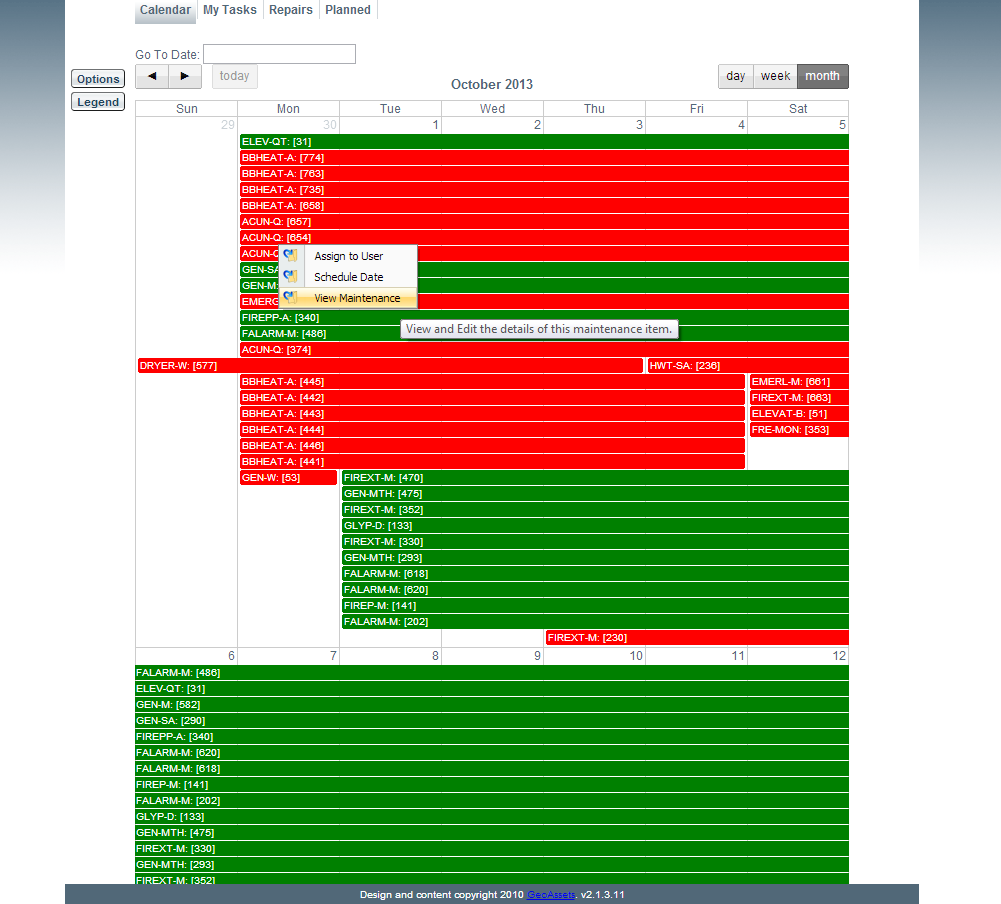
Right clicking on any event on the calendar will have the option to Assign that event to a user.To make the process of assigning easier, you can see if a user is assigned to the event by hovering over the event and reviewing the popup for the Assigned To field. Alternatively, under the calendar options you can use the "Assigned To" option by setting it to "no" so that you can view all non assigned events.
Work List
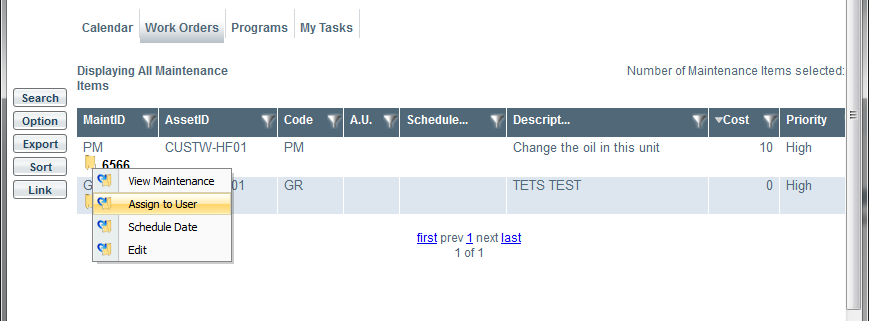
When displaying all maintenance items the maintenance table allows us to view identified maintenance that is required. The table shows when the maintenance will occur if it has been scheduled, the priority of completing the maintenance, the estimated cost and a brief description of the maintenance that is required.From the “Work” tab select “Work Orders”, this view allows the head caretaker to see all maintenance items that need to be assigned to caretakers. By clicking the yellow folder (indicated below) a drop down menu is shown where the item can be “Assign to a User” (see below).
Assigning
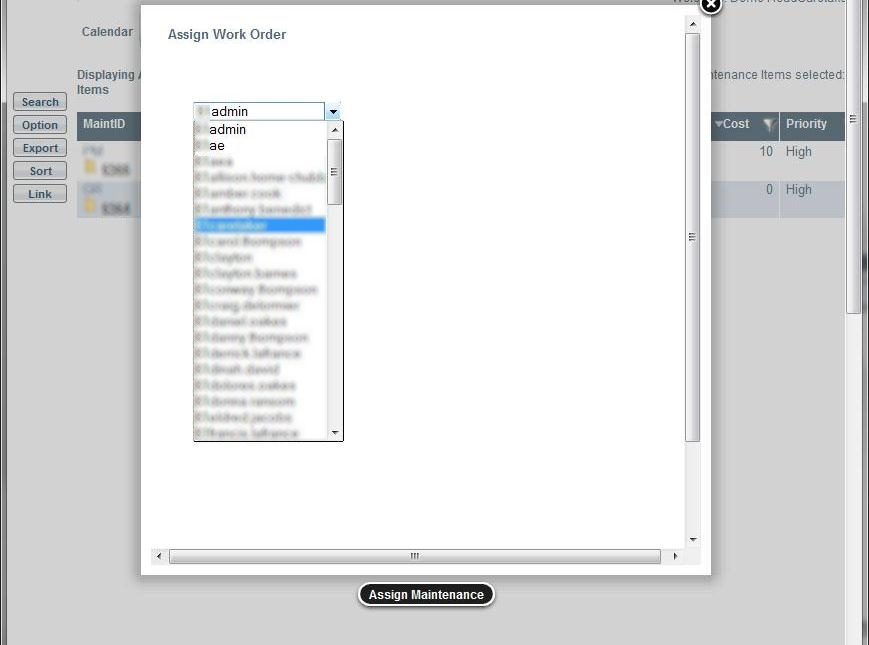
The following dialog box appears after selecting “Assign to User” on the specific maintenance item. From this drop down menu a user can be selected to be responsible to execute this work. Afterwards a message will appear indicating the maintenance has been assigned.