
View Maintenance: Procedures
Step 1: Select the Maintenance Item
Go to "View Maintenance" of the particular maintenance item you wish to view/edit lists for.
Step 2: Modify the Procedure
A procedure is a list of steps that assigned workers need to follow when executing the work defined by a maintenance item.Add a Step
To add a step type in the text box under the "Add" section as shown below. When finished click the "Add" Button. When finished you can add/edit more steps, however make sure that you click the "Save" button to commit your changes.
Add a step
Edit a Step
To edit a step, first click on the step in the procedure list. The text for that step will be shown in the text box under the "Edit" section as shown below. Modify the selection and when finished click the "Edit" Button. When finished you can add/edit more steps, however make sure that you click the "Save" button to commit your changes.
Edit a Step
Copy Procedure from another Maintenance
If you want to copy a procedure from another maintenance item, click on the copy procedure button on the action button bar on the left side.
Copy Button
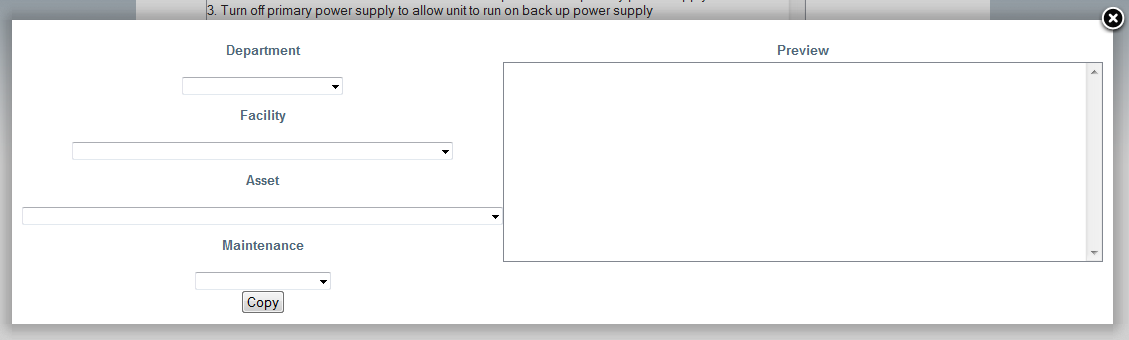
Copy Procedure Dialog