
View Maintenance: Reports - old
Step 1: Select the Maintenance Item
From the "Work" tab, calendar view right click the particular maintenance Item and select edit:

Select the Work Tab

Select the Calendar Tab
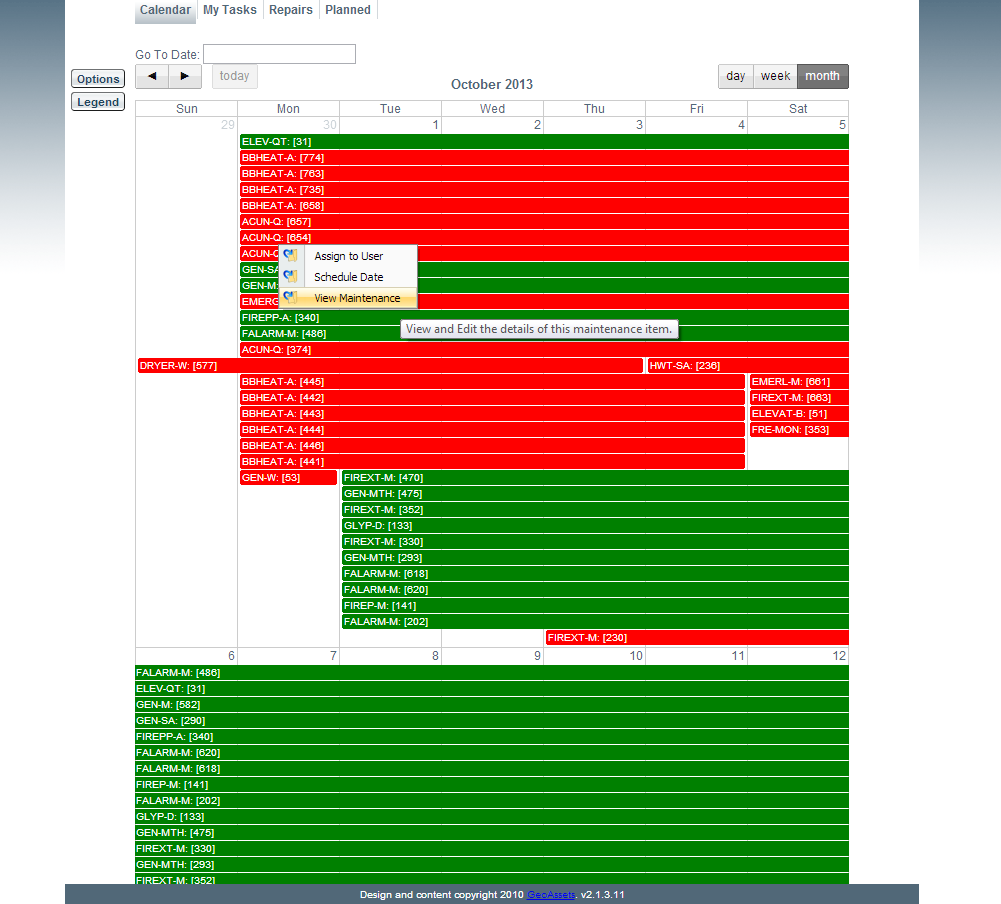
Click View Maintenance
Step 2: View Past Reports
To view reports attached to this particular maintenance item simply click the "Reports" tab. From here all past reports related to this item can be viewed.
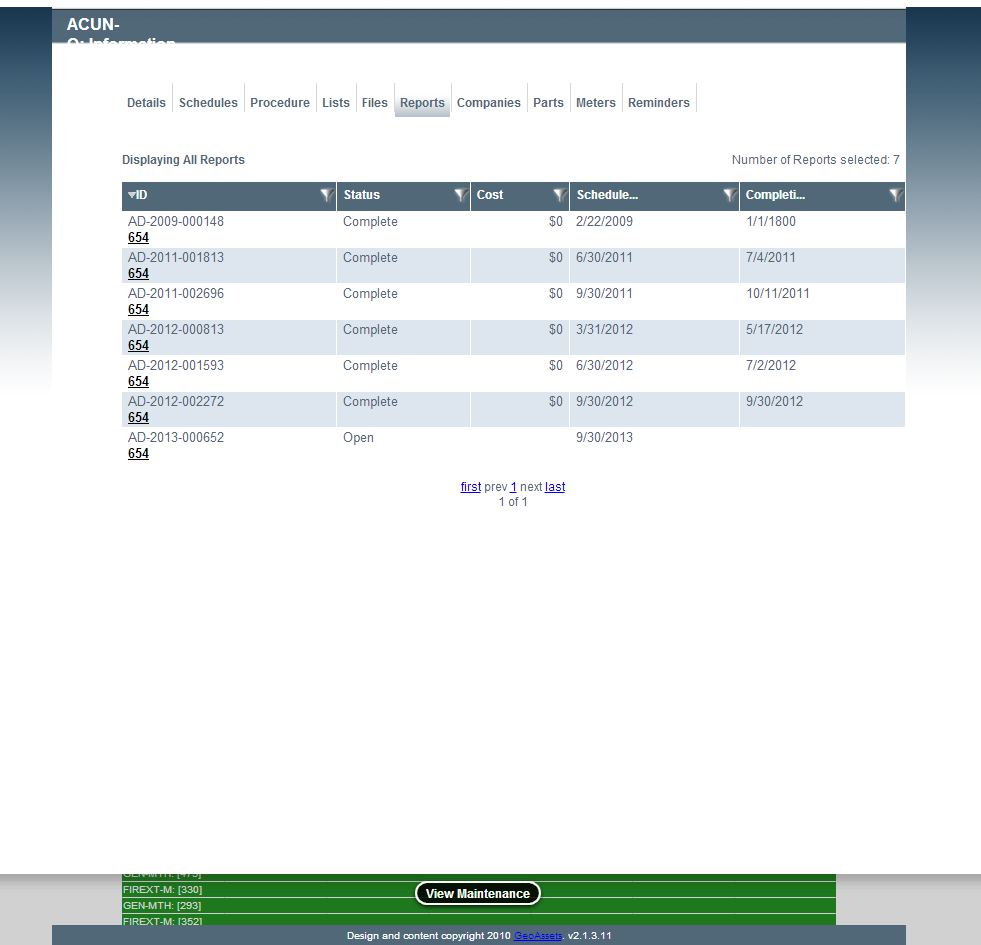
Reports Attached to this Item
Select the asset ID to view details of past reports. The user can also print or email these past reports for referencing purposes.
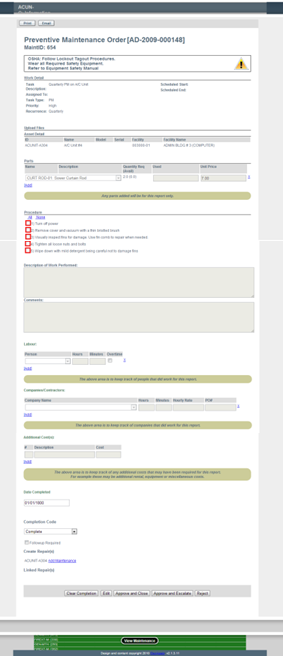
Details of a Past Report