
View Maintenance: Lists
Step 1: Select the Maintenance Item
Go to "View Maintenance" of the particular maintenance item you wish to view/edit lists for.
Step 2: View and Add Lists
This view will display all lists related to the selected maintenance item. If you want to add a list, you can select the "Add" action button.

Image title
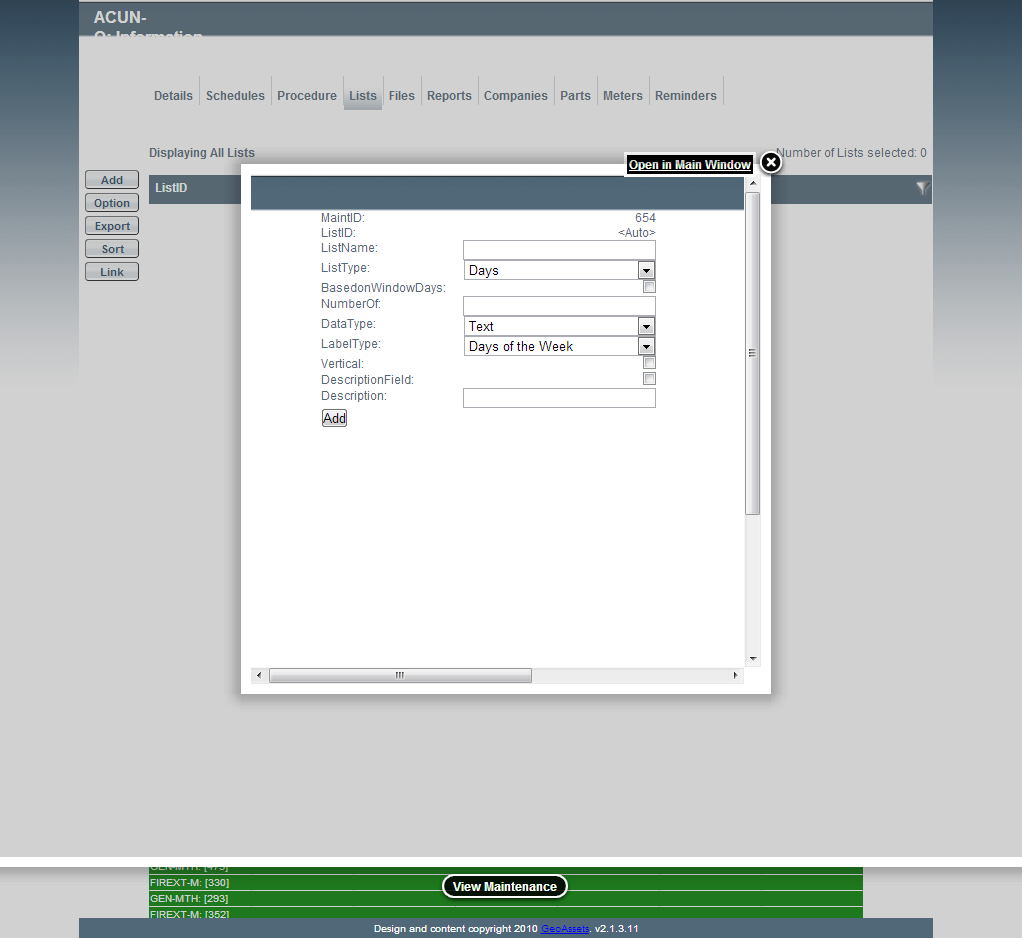
Adding a Maintenance Item List
Fields
- List Name: The name of the list. This will appear above the header for the list on the work report.
- List Type: The type of list. Common list types include days/weeks.
- Number of Boxes Based on Window Days: Choose this if you want boxes to appear based on the window days and the chosen list type (ie 5 window days of a days list type = 5 boxes).
- Number of Boxes: This allows you to hard code a number of boxes for this list.
- Data Type: The type of information to be held in the boxes.
- Label Type: The header label type for each of the boxes.
- Vertical : Whether you want the list to be horizontal or vertically aligned.
- Description Field: If you wish to have a field at the start of the textboxes for a person's name or other description, select this option.
- Description: The name of the description field, this will appear above the description box in the header for the list.
Please Note: you need to choose either "Number of Boxes Based on Window Days" or enter the "Number of Boxes".