
View Maintenance: Procedures - old
Step 1: Select the Maintenance Item
From the "Work" tab, calendar view right click the particular maintenance Item and select edit:

Select the Work Tab

Select the Calendar Tab
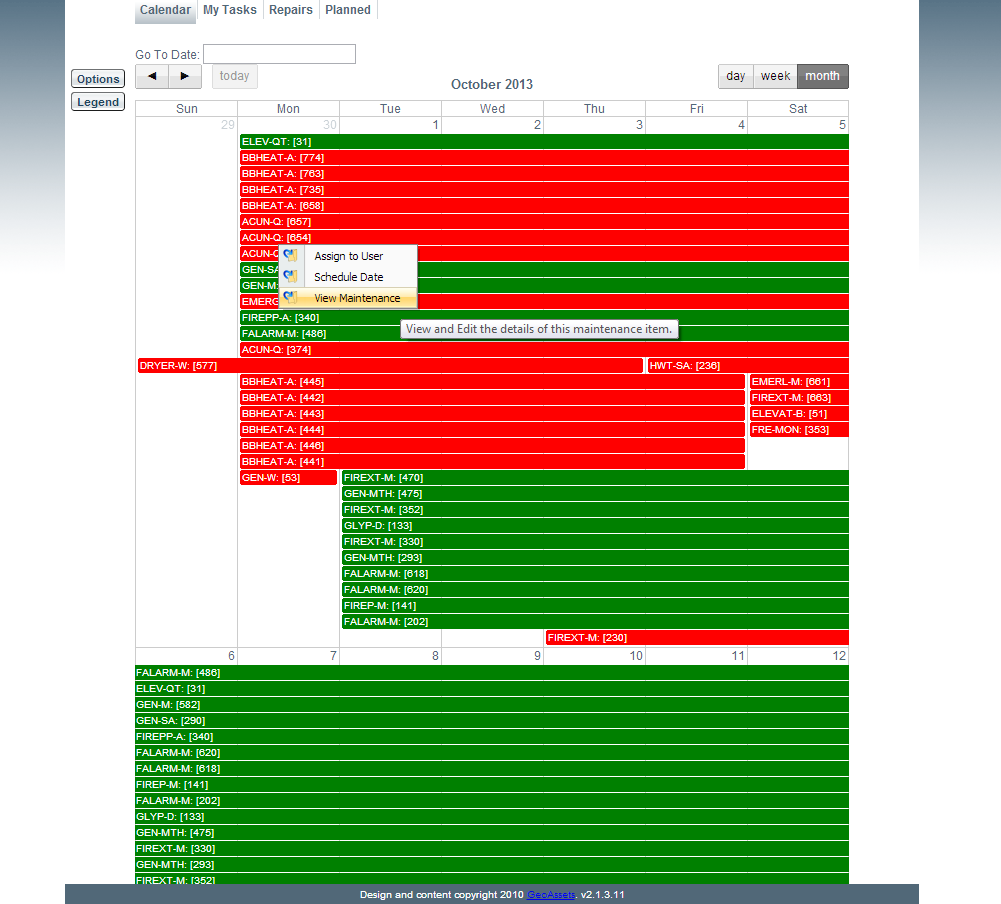
Click View Maintenance
Step 2: View, Edit and Add Procedures
Here the user can edit and add details to this particular maintenance item's procedure.
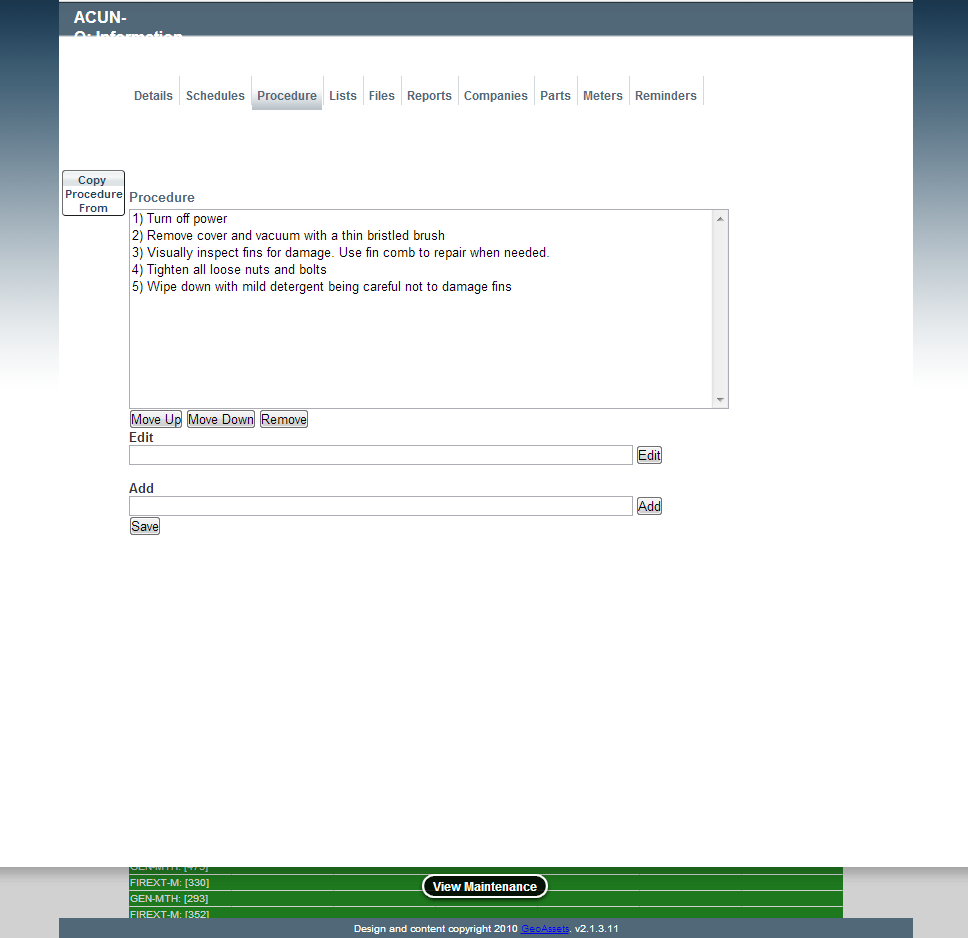
Editing an Existing Procedure
In addition, there is an option to select a procedure from another department, allowing the user to define down to a facility, asset and maintenance procedure level.
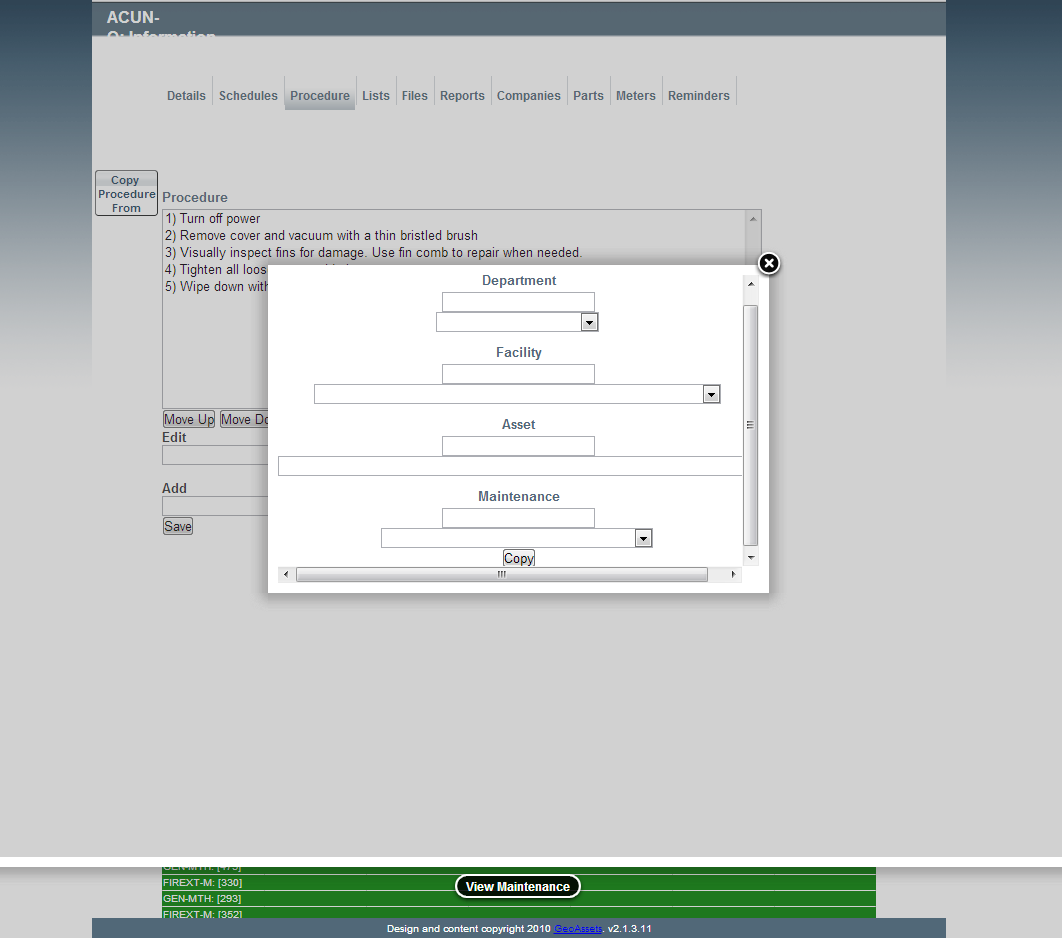
Selecting a Procedure from an Existing Procedure