
How To: Approve a Work Report
Step 1: Viewing Work Reports
From the “My Tasks” tab area assigned work, work to be approved, rejected work and completed work that has been escalated can be viewed.
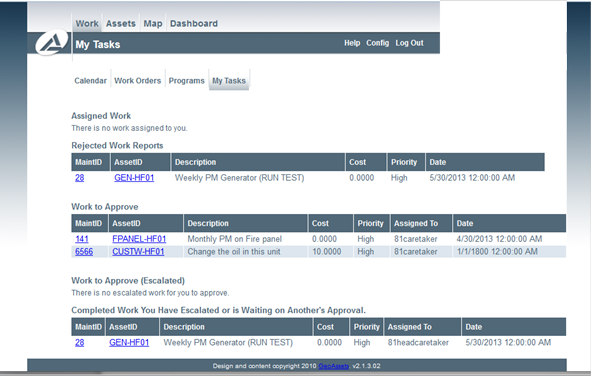
Supervisor Taks
Step 2: Approving a Work Report
Under “Work to Approve” there will be a list of work reports that need to be approved by you. Clicking the ‘MaintID’ will pull up one of those reports.
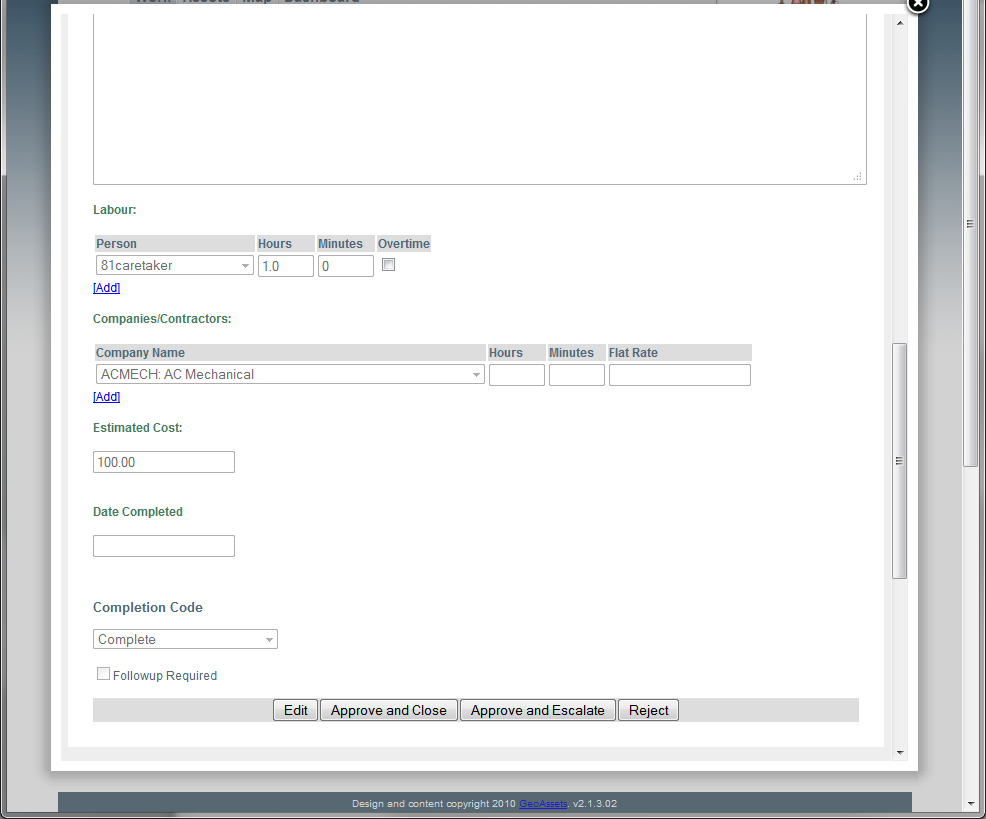
Approving a Work Report
At this stage there are a few items that can be done with the work report:
- Approved and Close: This option will approve the work that has been documented in the report and will archive the report.
- Approved and Escalate: This option will approve the work that has been documented in the report and will escalate the report so that is requires approval from your immediate supervisor.
- Edit: This option will allow you to modify the details of the report. This is a good option if you wish to make a small correction or add additional information prior to approving the report.
- Reject: If there is an error in the report or the report is not suitable this option will move the report back to the assignee under his or hers rejected work reports section of their Tasks. If the work order is rejected it is recommended that detail be provided as to why it was rejected so the assignee can correct accordingly.