
Capital Allocation
The last view in the Projects Screen is Allocate Projects. This view represents the capital planning abilities of AssetNav, and will appear similar to the following screenshot. A drop down list will also be available to select individual budgets where multiple funding sources have been established.
Adjacent to the Plan ID, Title, Description and Cost, which are established when creating a project, a column labeled ‘Sum’ will show the amount of money allocated to the project in the current budget. Where there are multiple budgets, the total funding allocated in all budgets will be shown in the Total Allocated column, labeled ‘T.A.’ and the ‘Sum’ column will be replaced by a Source Allocated, or ‘S.A.,’ column instead.
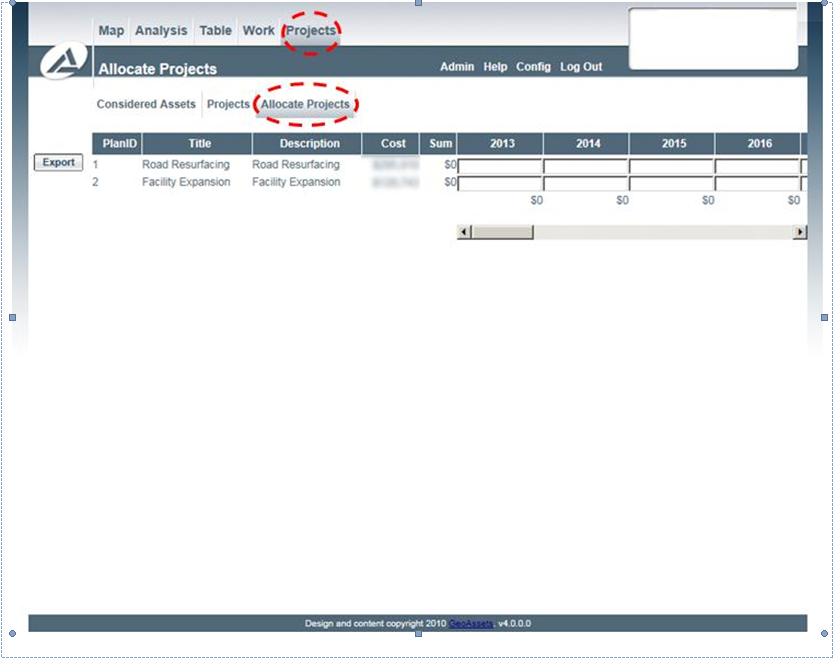
Project Allocation View