
Calendar
This useful tool allows the user to view their calendar to determine when and what maintenance work that has been assigned to the them. The calendar will only display items that require the attention of the currently logged in user.
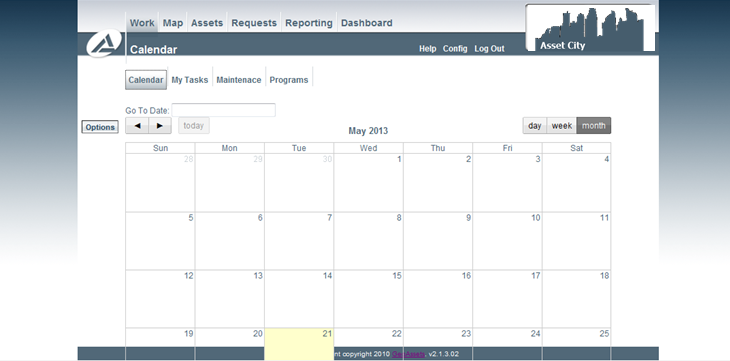
Using the Calendar
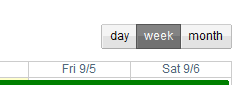
The calendar is a handy tool to allow one to view the overall schedule of required work.The list can be easily sorted or filtered by month to view all inspections that are occurring in the current month, week etc. simply select the preferred view at the top right side of the screen.
Clicking the Options Action Button on the left hand side of the screen will bring up the calendar options.
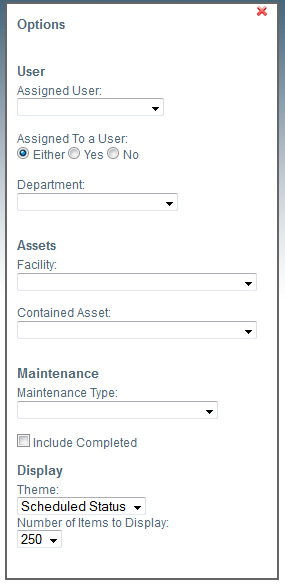
User
Under the user heading there are three optional filters. The first allows you to filter the calendar so it will only show those work items assigned to the user selected. The second option allows you to filter the calendar to show all work items (either), work items that have been assigned to a user (Yes) or those that have yet to be assigned to a user (No). This option can be beneficial for supervisors who are assigning required work. The third option allows you to filter the calendar to work required for a specific department
Assets
There are two optional filters under the Assets heading. The first allows you to filter the calendar by work items required for a facility and includes all work that is required for contained assets within the facility. Applying this filter will also limit the list which is within the second filter (contained asset). The second filter allows you to filter the calendar by work items required for a specific asset.
Maintenance
The maintenance type filter allows you to filter the calendar to only display work items of a specific maintenance type. By default the calendar only shows open or required items, the Include completed checkbox will show both open and completed work items on the calendar.
Display
There are two available colour themes for the calendar. In the default theme (Scheduled Status) the items highlighted in red are overdue workorders that are scheduled for maintenance within the month of June. Green highlighted items indicate future maintenance. The alternate theme (Maintenance Type) will colour the work items by their appropriate maintenance type. Clicking on the Legend Action Button will bring up the legend to see the current colour theme.
The last option is the number of items to display on the calendar. By default the view is limited to 250 items, however this can be increased by increments of 250, or all work items can be shown by selecting All. Increasing this number may have a significant impact on performance.