
Work Order View
Work orders assigned to the user logged in, a short description of what maintenance is needed, the estimated cost of the maintenance, and the priority of completing the work order are available through the Work Order View. In addition, if the current user is a maintenance manager, the list of completed work orders will be shown to allow for the approval of the completed work orders.
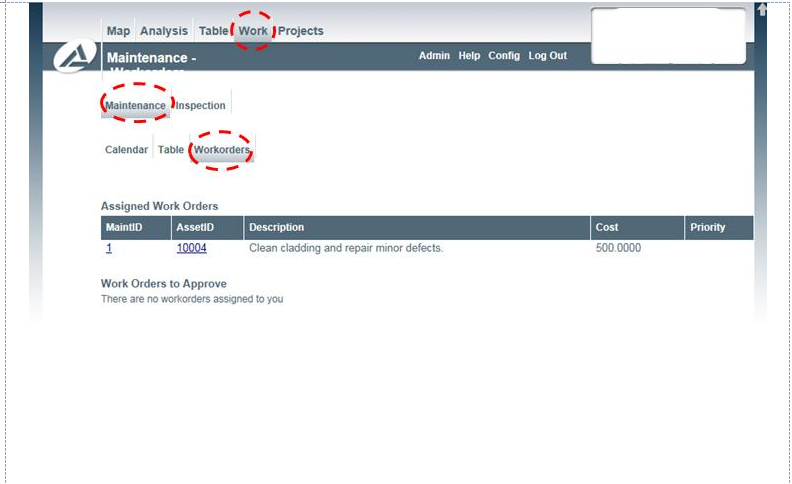
Clicking on the Maintenance ID will open a dialog box that shows the work order. A selection of the work order is shown in the following image.
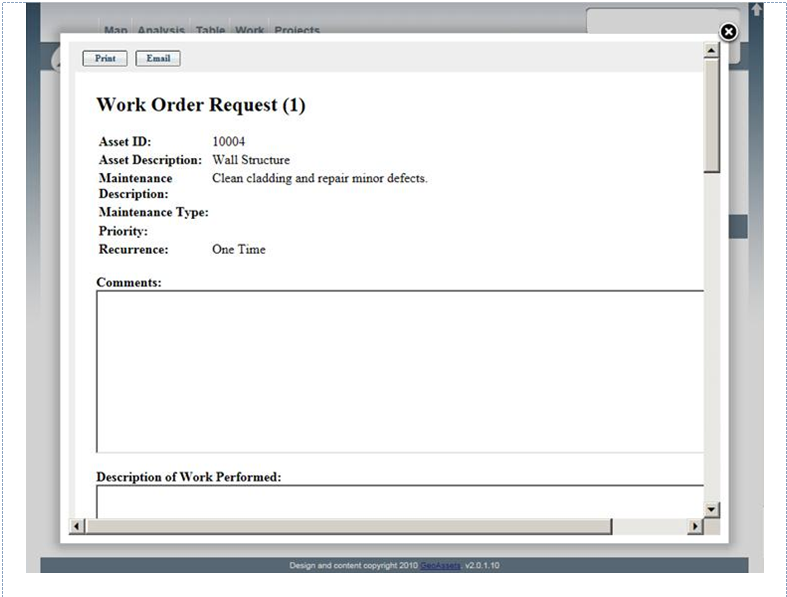
At the top of the work order, buttons are provided to either Print or Email the work order. In addition to the original data entered when the maintenance item was created, the work order provides the following editable fields.
- Comments
- Description of Work Performed
- Labour
- Estimated Cost
When the work order is complete, the ‘Complete’ button at the bottom of the dialog can be clicked.
Completed work orders are sent to be confirmed and approved or rejected by a maintenance editor. To approve or reject the work order, the user must click the maintenance ID and click the appropriate button on the bottom of the work order form.