
Asset Financial
The Asset Financial tab provides the ability to manage PSAB 3150 financial details of the asset through the addition of write-downs and betterments. All write-downs and betterments are tracked on this tab as well. Only users designated as Financial Editors may add or alter write-downs or betterments.
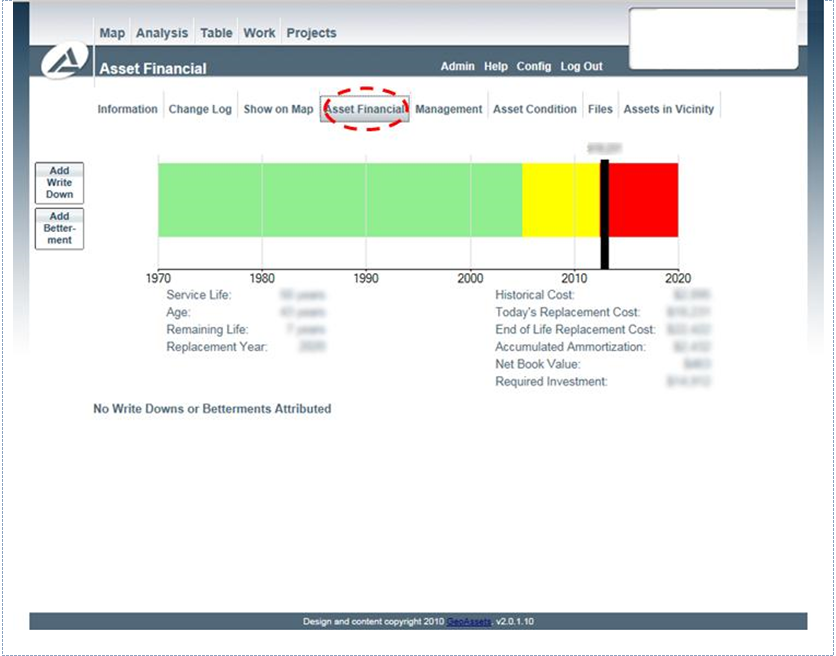
To add a write-down, the user must click the button ‘Add Write Down.’ A dialog box will appear with three fields. The ‘Year’ field corresponds to the year the write-down occurred. The ‘Value’ field is the cost, in that year, of the write-down. In other words, if the write-down occurred in 2010, the value would be represented in 2010 dollars. The ‘Name’ field should include an identifiable description of the write-down. Once all three fields are completed, the user must click the ‘Add’ button at the bottom of the dialog box to apply the write-down to the asset. At any point, the user may click the button on the top right of the dialog box to cancel the addition.

A similar process is followed to add betterments to the asset. The user must click the button ‘Add Betterment,’ and a dialog box will appear with four fields. Three fields, ‘Year,’ ‘Value,’ and ‘Name’ are analogous to those in the write-down dialog box. In addition, there is a field for the ‘Life’ of the betterment. This field represents the duration (in years) that the betterment will last.