
View Maintenance Detail
The details tab shows the basic information of the current maintenance item.
There are two Action buttons on the left side, Make Active/Dormant and Edit.
Make Active/Dormant
Any maintenance item can be made dormant, or if already dormant be made active again. Making a maintenance item dormant will make it so that the maintenance item does not appear on any calendar or list or task screen across the applicationEdit
To edit the basic information of a maintenance item, click on the Edit action button.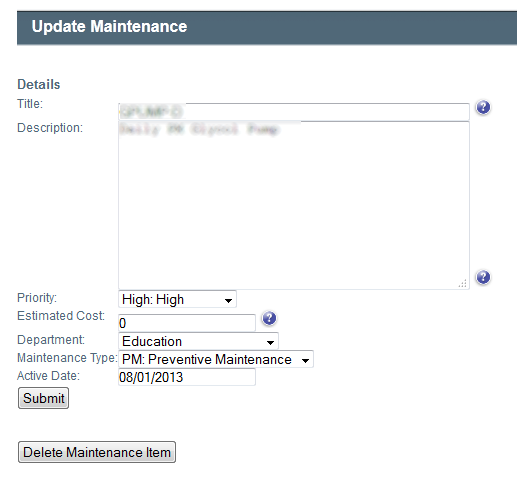
Fields
- Title: The name of the maintenance item. This will be how the item appears on the calendar.
- Description: The detailed description of the maintenance item. This will appear on the work order.
- Priority: The importance of this maintenance item.
- Estimated Cost: The approximate cost of the maintenance item.
- Department: The department that will need to perform the work or that the work applies to.
- Maintenance Type: The category or maintenance reason or the maintenance item.
- Active Date: The day which the maintenance becomes active in the system..