
View Maintenance: Lists
Step 1: Select the Maintenance Item
From the "Work" tab, calendar view right click the particular maintenance Item and select edit:

Select the Work Tab

Select the Calendar Tab
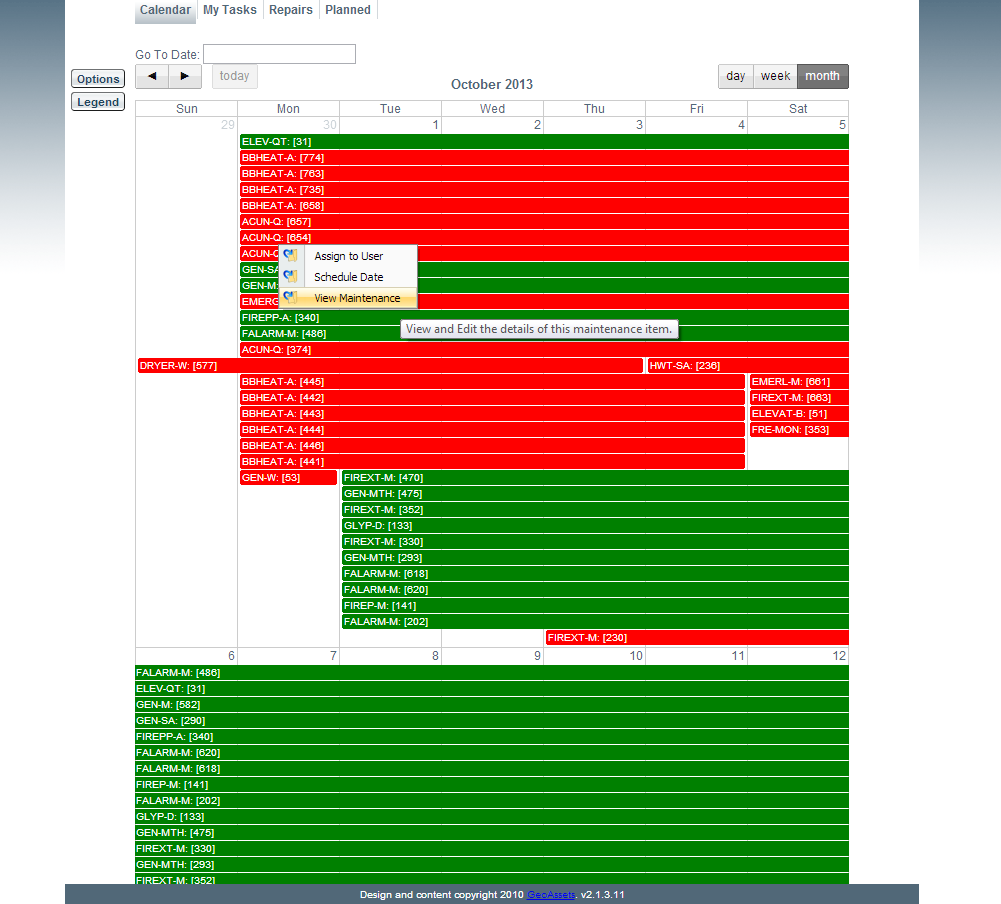
Click View Maintenance
Step 2: View and Add Lists
This view will display all lists related to the selected maintenance item. In addition, by selecting the "Add" button the user can create a list for this maintenance item.
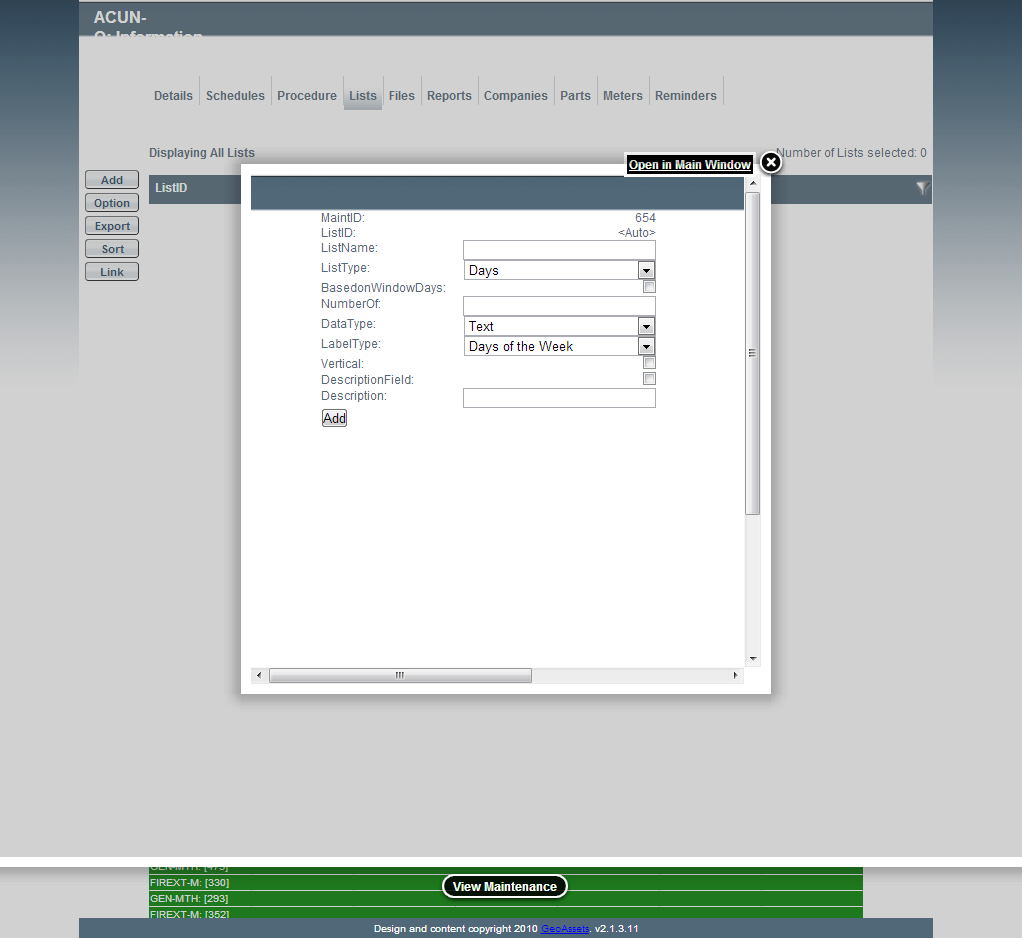
Image title