
View Maintenance: Parts - old
Step 1: Select the Maintenance Item
From the "Work" tab, calendar view right click the particular maintenance Item and select edit:

Select the Work Tab

Select the Calendar Tab
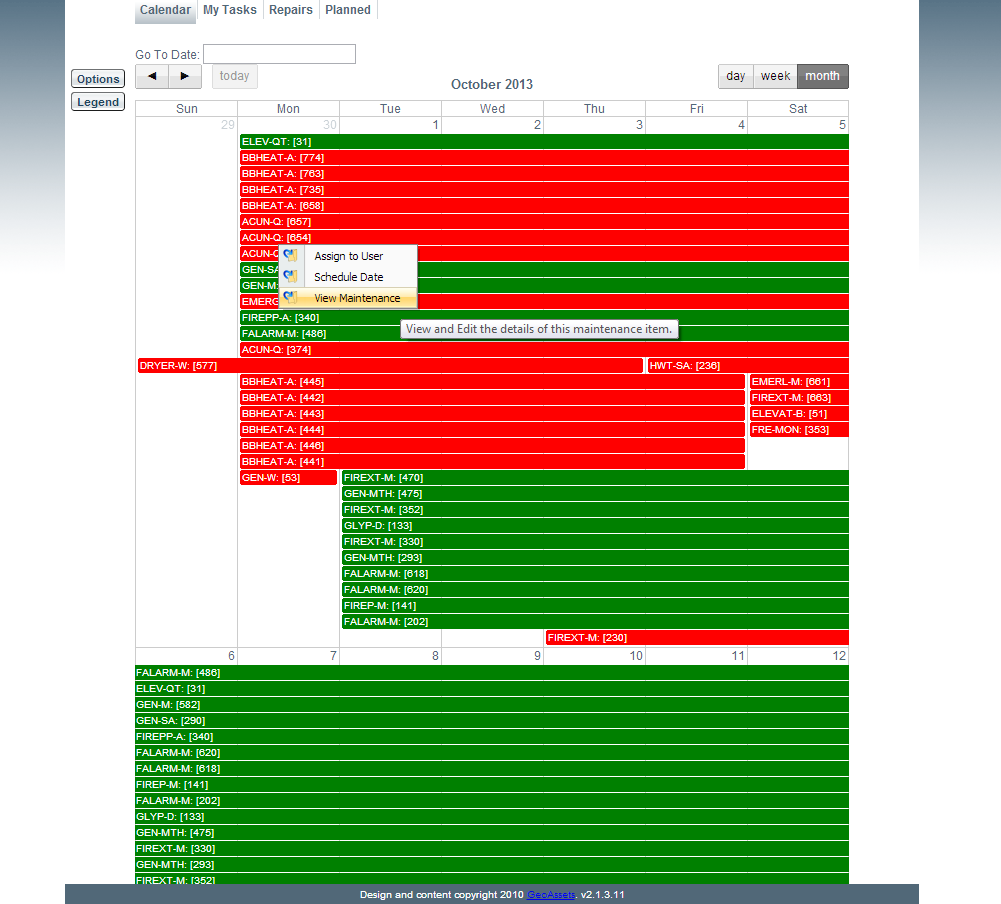
Click View Maintenance
Step 2: View and Add Parts Details
From this tab users can view all parts that pertain to this maintenance item.
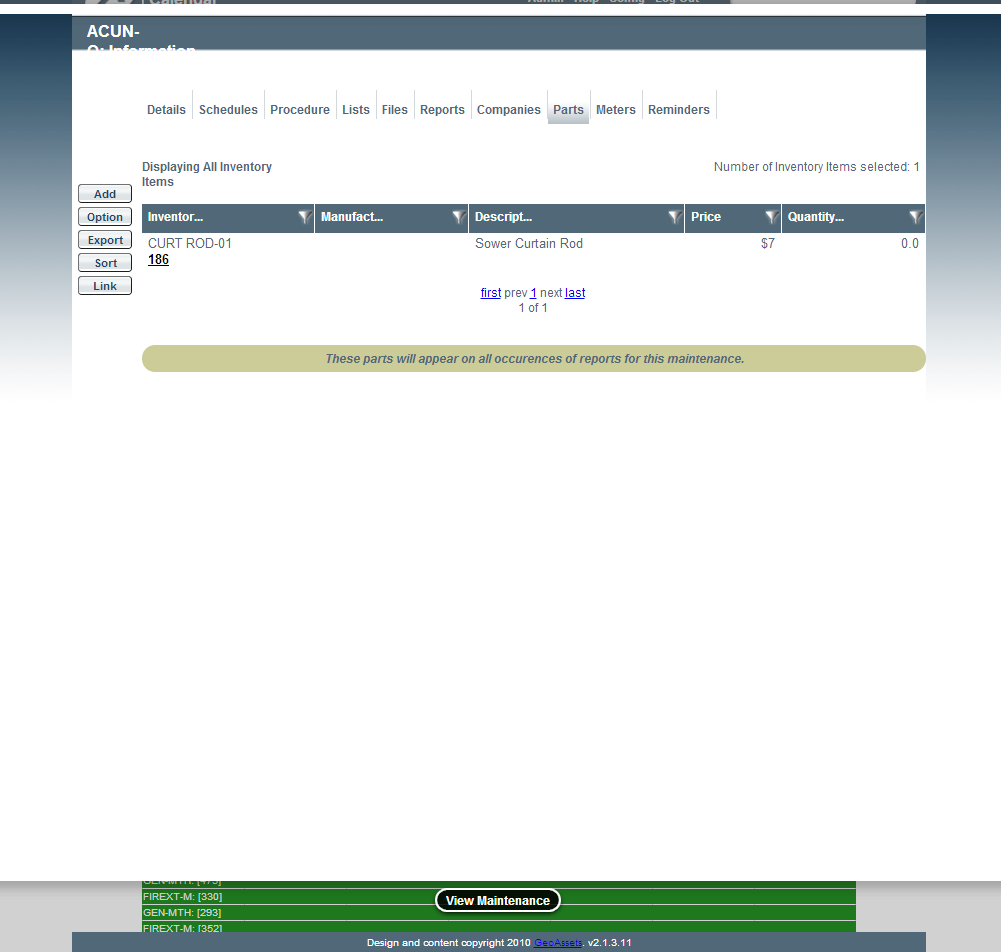
Parts related to this Maintenance Item
Users can also add parts to this maintenance item by selecting the "Add" option on the far left. Here part inventory details can be added to particular assets within this maintenance item along with details such as quantity remaining.
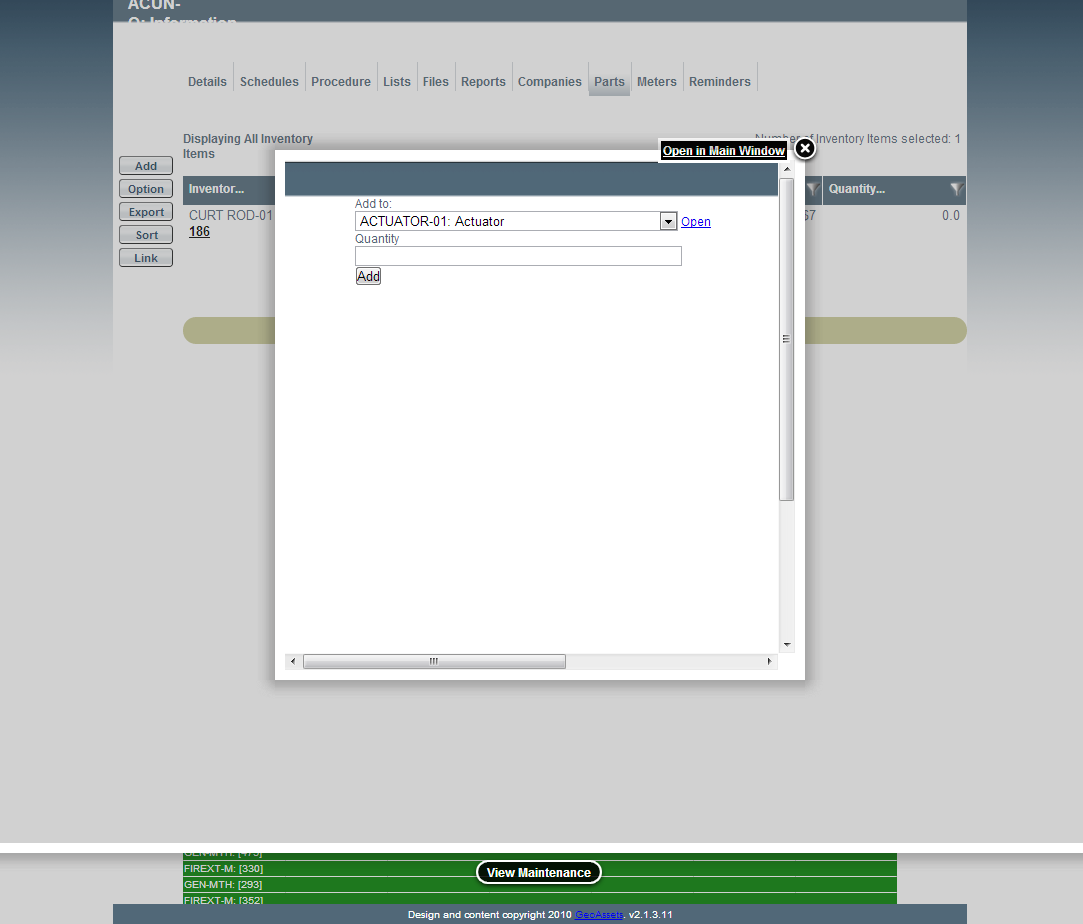
Adding Part Details